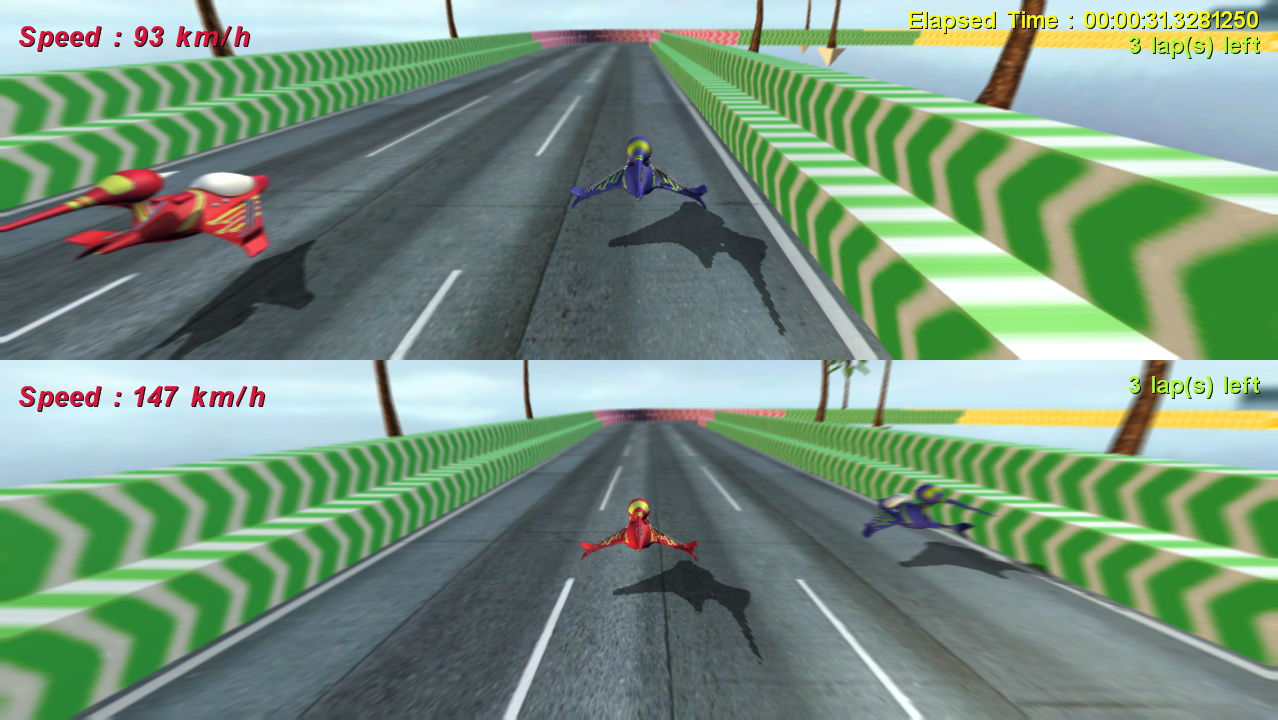
David Johnston (aka Deajay169), the creator of Shuggy (one of the absolute best of the Dream-Build-Play entries), has created a sample project that shows how to create a basic platformer. This is very good stuff and the code is well-written and easy to understand. A must-read for anyone who wants to understand how Mario Brothers (or Shuggy!) works.
Friday, July 13, 2007

Tuesday, July 10, 2007
Pathfinding Sample Using A*
Most game developers these days know of the A* (pronounced A-star) algorithm as the preferred method of finding a path around obstacles on a map. A* is actually a general-purpose graph-search algorithm based on theories presented by Hart, Nilsson, and Raphael in a 1968 paper for the IEEE Transactions on Systems Science and Cybernetics entitled, "A formal basis for the heuristic determination of minimum cost paths."
Whew! Fortunately, although it may seem intimidating at first, the A* algorithm is quite simple and you don't have to be an IEEE fellow to understand it. My first introduction to it was in one of my AI classes in college in Nilsson's book, "Principles of Artificial Intelligence." Interestingly enough, that book doesn't even mention the algorithms use for pathfinding on a map. The example he provides uses the algorithm to traverse a search tree to solve the 8 puzzle.
However, it should be obvious (when you think about it) that pathfinding on a map is merely a specialized case of a generic graph-search. And, as it turns out, one that the A* algorithm is particularly useful for solving, provided you can determine accurate "costs" for moving between adjacent nodes on the map.
Overview
The basic idea of the A* algorithm is to divide a map into adjacent nodes. Some nodes are free of obstacles and can be entered. Other nodes can not be entered. Between any adjacent nodes, there is a cost associated with moving from one node to another.
The algorithm starts by looking at all of the nodes adjacent to the starting point. For each one, it determines an estimated total cost of moving from that node to the destination, generally based on distance without regard to possible obstacles (which aren't known yet).
It then chooses the node with the least estimated total cost and looks at all of the nodes adjacent to it. This time it tracks the actual cost of moving from the original node to the current one and then, again, adds an estimated cost to the destination to come up with a revised estimated total cost.
From all of these nodes, it again selects the node with the least estimated total cost and repeats the process. As it does so, it is continually refining the actual cost of moving into each node along various paths, always doing so by searching the lowest estimated costs first. When paths are discovered with actual costs that are worse than actual costs to the same node by other paths, they are eliminated from further consideration. The end result can be proven to be the shortest path between the start and destination nodes (assuming the heuristic for estimating total cost meets certain conditions).
For a more complete, and very readable, description, I highly recommend the article, A* Pathfinding for Beginners, by Patrick Lester. I couldn't hope to explain it in more understandable terms than he does.
An A* Implementation
I have created a sample "game" that demonstrates the implementation of A* that I used in Snowball Fight!. I created this as a separate sample application in order to make it easier to understand how the algorithm works and how to use this specific implementation. I stripped out almost all of the unnecessary code to focus as much as possible on the Pathfinding class.
In the sample, a Bug (er, insect) traverses the shortest available path around obstacles on a map towards a Flower. The Flower can be moved by the player using the keyboard or an Xbox 360 controller. Whenever the Flower is moved, the Bug uses the Pathfinder class to find the shortest path to its new location.
The sample is divided into two namespaces. The SwampLib namespace contains general purpose classes that can be reused in many games. The PathfindingSample namespace contains classes that are specific to the sample "game".
SwampLib
The main classes of interest in the SwampLib namespace are:
- IMap
- Defines an interface between a map and the Pathfinder class. This allows many map implementations to be used with the Pathfinder. The only restriction is that the map must be capable of being divided into "tiles". Note that this does not mean the map must be a traditional tilemap. In fact, the Map implementation in this sample is not a traditional tilemap.
- MapLocation
- A struct that represents a tile on an IMap.
- Pathfinder
- Any object that wishes to find a path through a map must create an object of this class. The constructor to the Pathfinder object takes an IMap object as a parameter. The map associated with the Pathfinder can later be changed, if desired, with the one restriction that the map must be of the same size as the original map.
The FindPath method is used to find a path from any starting tile to any destination tile. The path found is stored as a stack of destination MapLocation waypoints.
Traversing the path is done by calling Pathfinder's Complete method to make sure that the destination has not already been reached. If Complete returns false, the GetNextWaypoint method can be called to get the MapLocation of the next waypoint. - PathNode
- PathNode is only of interest in understanding the A* implementation. It is not publicly accessible outside of the SwampLib namespace and is used internally by the Pathfinder class to keep track of the status of each node (tile) on the map while finding a path.
- Sprite
- The Sprite class is not related to pathfinding, or the A* algorithm, but is provided as a reusable class for managing on-screen sprites. It provides collision detection and handling capabilities via the BoundingCircle and BoundingRectangle classes, although these are not used in this sample.
- XnaGame
- The XnaGame class is a subclass of Microsoft.Xna.Framework.Game class that is intended as a parent to other Game classes. It provides access to a number of commonly needed resources and methods.
PathfindingSample
The classes that make up the PathfindingSample itself are:
- PathfindingGame
- The game itself, which inherits from SwampLib.XnaGame. This class creates the GameComponents and Sprites, and loads all game content. It also manages updating and drawing the player's target Reticle.
- InputComponent
- This GameComponent manages the state of the keyboard and gamepad input controls. It is implemented as a singleton to make it easier for all of the other classes to access its properties.
The SetTarget property is true if the user has requested to change the target's position via the A button on the gamepad or the Spacebar on the keyboard.
The ToggleBlockedTiles property is true if the user has requested to toggle whether or not blocked tiles are highlighted on the map. - MapComponent
- This DrawableGameComponent handles the majority of the game logic. It maintains a list of Sprites associated with the map (although in this case, that is only the Bug and Flower). It is responsible for updating all active Sprites and drawing the map and all visible Sprites.
- Bug
- The Sprite that uses the Pathfinder class to find the shortest route to the Flower's current position. Look at this class to understand how to use the Pathfinder class.
- Flower
- The Sprite that represents the target the Bug is seeking. Its location is set by the Reticle class when the user changes the target's position via the SetTarget property of the InputComponent class.
- Reticle
- The Sprite that represents the player's targetting reticle. It is under the control of the user via the left thumbstick on the gamepad or the arrow keys on the keyboard. When the user selects the SetTarget input, it raises the TargetMovedEvent which notifies the Flower and Bug of the Flower's new location.
- Map
- The game's implementation of the IMap interface. It is responsible for actually drawing the map background and fixed objects when directed by the MapComponent. It is also responsible for keeping track of which tiles are clear and which are blocked by fixed objects. Finally, it provides a number of helper methods that are used by the other classes that need to query the status of map tiles.
Conclusion
That's it! You can download the full source here:
I tried to make the code as readable and well-documented as possible. If you have any questions, feel free to leave a comment or email me at SwampThingTom at bayougames dot com.
Monday, July 2, 2007
Dream-Build-Play Entries
The following is a list of Dream-Build-Play entries, with links to web sites, videos, and installers (where available). I'll edit this post as I learn about more.
AquattackZX360
2D Action
Windows / Xbox
Baby Gamer - Musical Rain
Baltico X
Screenshot
Bathtub Navy
Galactysis
3D Action
Website
Video
Screenshot
Windows
Xbox
Battle for the Seas
Joopsy
3D Turn-based Strategy
Video
Windows
Big Sky

Screenshot 1
Screenshot 2
Screenshot 3
Blazing Birds
Dagfari
2D Action
Website
Video
Xbox
Block Realm
Chromatic
3D MMORPG
Website
Botload
jstewart
Xbox
Bullet Hell Tactics
Kobingo
Website
Video
Windows
Burning Angels
Arthur_Frontfree
3D Shooter (3P)
Website
Video 1
Video 2
Butterfly Paradise
CatalinZima
3D puzzle
Screenshot 1
Screenshot 2
Screenshot 3
Xbox
Chaos
hellborg99
2D Action
Website
Windows
Cuber
Taber
3D Puzzle
Website
Xbox
Windows
Crystal Glyder
vRAGmAZTER
3D Flyer
Website
Xbox
Dark'nd
FritzLafferty
3D Sci-Fi/Action Multiplayer Arcade
Website
Xbox
The Dishwasher: Dead Samarai
Jamezila
2D Brawler
Website
Video
Dog Food
CheekyOaf
2D Platformer
Website
Windows
Doppelganger
PumpkinPaul
2D Shooter
Website
Windows
Dream Sower
Kyle0654, LoneRockstar, CatalinZima, atlStylin
3D Action
Website
Screenshot 1
Screenshot 2
Screenshot 3
Video
Xbox
Windows
EleMental
MadGamer7
FPS
Website
Windows
Evil Aliens
CoamIthra
Windows
Exisled
LOSTlogic
2.5D Shooter
Xbox
Windows
Video 1
Video 2
Video 3
The Farthest Land
xVxObliVioNxVx
2D Fighter
Video
Windows
Galactic War
DarthCheesiest
3D Action
Video
Ghost Ball
Da Coder
3D Sports
Screenshot 1
Screehshot 2
Give it a Rest
Camp ELM
2D Side Scroller
Windows
Gravitron Ultra
Screenshot 1
Screenshot 2
Screenshot 3
GunStyle
Alex
2D Multiplayer Shooter
Website
Hasta La Muerte
Screenshot 1
Screenshot 2
Screenshot 3
Head Banger
Ganksoft Entertainment
Website
Windows
Xbox
Hippocrates Dilemma
Handkor
2D Shooter
Website
Windows
HurricaneX
3D Action
kobunketsu
Video
In Your Face Football
barkers crest
2.5D Arcade Sports
Video
Xbox
Lazyville
hnathanh
Video
Little Gamers: Teh Game
Epsicode
2D Action
Website
Video
Xbox
Magic Crystals
qillerneu
2.5D Action Puzzler
Xbox
Windows
Mech Rider Z
DexterZ
3D Mech Shooter
Website
Memories
MarginalWotan
3D Action Adventure
Windows
Minpick
BitChain
2D Puzzle
Website
Mr. Pluck Adventures
rwp QUARK
3D Platformer
Video
Windows
Nanonomi
Duckocide
2.5D Action
Website
Video
Xbox
The Night of the Puppets
MutantPenguins
2.5D Action Adventure?
Website
Odyssey
Ringo
2D Shooter
Windows
Proximity HD
SageClock
2D Strategy / Board Game
Windows
PvP
Chryso
FPS?
Screenshot 1
Screenshot 2
Screenshot 3
Ragu
Screenshot 1
Screenshot 2
Screenshot 3
The Real Invaders
lalolete
3D Action
Video
Rocketball
gameD3V
2.5D Party
Website
Screenshot 1
Screenshot 2
Screenshot 3
Roto Motion
HadesSpaniel
2D Puzzle
Video
Windows
Samarai Soul Hunters
SamaraiForever
2.5D Brawler
Website
Video
Shuggy
deejay169
2D Platformer
Website
Video
Xbox
Windows
Sky Burner
moriarty72
3D Action Flying
Windows
Snapcount
AwkwardGamesLtd
2D Action
Windows
Screenshot 1
Screenshot 2
The Snoobies
chenpwnage
2D Action
Website
Xbox
Video
Screenshot 1
Screenshot 2
Screenshot 3
Snowball Fight!
SwampThingTom
2D Party
Website
Xbox
Windows
Solar Defense
chronos78
2D Shooter
Screenshot 1
Screenshot 2
Screenshot 3
Space Sudoku
Rexorep
Screenshot
Video
Sprockets of Strife
Website
Screenshot 1
Screenshot 2
Screenshot 3
Starcrushers
Zener
Website
Video
Windows
Tower Defense
KriscC
2D Action Arcade
Website
Windows
Truck Defender X
Christopher
3D Action / Strategy
Video
Viduce
Screenshot 1
Screenshot 2
Screenshot 3
Vocab Trainer
Jendrik
Educational
Website
Windows
Vacuum Ball
Greytone8
2.5D Action Puzzler
Website
Xbox
X-Road
DrCosinus
2.5D Shooter
Website
Windows
Xbox
X Space Cruiser
Anonymous
3D Space Racing
Website
Screenshot 1
Screenshot 2
Screenshot 3
Windows
xSpace
ClydeCoulter
3D Space Shooter
Website
Windows
Xtreme Table Soccer
Nivel21
Windows
Yo Ho Kablammo!
Screenshot 1
Screenshot 2
Screenshot 3
Dreamt-Built-Played
Uploaded the latest build of Snowball Fight! to the Dream-Build-Play website this morning. There's plenty more I plan to do with the game but it's nice to have this milestone passed. Thanks to everyone who provided feedback on the previous release. And, of course, thanks to Microsoft's XNA Team for providing an excellent product with amazing support (for free!) and to the XNA Community for providing so much help and information.
You can download the latest Windows release at bayougames.com and the latest Xbox 360 release at gameprojects.com.
Wednesday, June 20, 2007
Snowball Fight!
I'm happy enough with the progress on my Dream-Build-Play entry that I've decided to put a beta out for public release. Snowball Fight is a 1-4 player party game where you try to knock your opponents out by hitting them with snowballs before they knock you out. Of course, you can only hold so many snowballs at a time, so don't wander too far from your snow pile when you are getting low. Also, keep an eye out for random power ups for temporary bonuses.
I've also created a new website / blog for distributing my games — Bayou Games. "Advice from the Swamp" will continue to focus on videogame programming, while bayougames.com will focus on providing playable games to gamers.
I'm afraid that, for now, I've decided not to release the source. (But I also didn't obfuscate it, so feel free to Reflect at will.) I'm trying to determine the best way to share the source with the XNA community while keeping my options open for publishing the game in some form. My preference is to turn the source into an on-going tutorial on writing a complete game — in the same vein as Reimer's tutorials, but with a truly complete game as the final product. But that clearly takes a serious commitment and, as I said, I'm keeping my options open for now.
However, since there is clearly interest in an article on the A* pathfinding algorithm, I will be providing that soon. Again, I'm not certain exactly what form it will take, but it will be available before the end of the month.
Tuesday, June 5, 2007
What Next... Again
Thanks for the comments. It looks like there is some interest in an article on implementing the A* pathfinding algorithm. I have an implementation in my Dream-Build-Play game, and I'm trying to figure out the best way to turn that into one or more articles.
The biggest problem is that spending time writing articles and putting together these blog entries takes significant time that otherwise could be used improving my DBP game. With the DBP deadline a mere month away, I'm trying to decide how best to balance that.
I also have plans for an article to demonstrate how to write game control input code that is completely independent of the actual input device. I have a series of classes (also written for my DBP game) that lets the user select pretty much any input device and customize the controls for that device in such a way that the game itself knows nothing about the actual input device being used. It consists of a series of adapter classes that can convert any digital input to an analog input and vice versa, so that the user can configure specific game controls to use arrow keys on a keyboard, the Dpad of a game controller, or an analog joystick without any changes or special treatment by the game code.
Sunday, June 3, 2007
A Generic Pool Collection Class
I originally intended to write this article for Ziggy's XNA Article Contest. Unfortunately, real life got in the way in the form of a few weeks of crunch-time at work followed by a much-needed (and fabulous) vacation in Paris. Between those things and spending the little free time I had last month on my Dream-Build-Play entry (and not as much time on that as I'd have liked), I didn't get the article finished in time for his deadline. He received some great entries, though, so if you haven't already, head over there to read them. My favorites are the two HLSL articles by Jamezilla, one on Bloom/Blur Post-Processing and the other on Shockwave Distortion; and the article on Bezier Curves by Cubed2D. But all of the entries are worth a read.
EDIT: It looks like just as I was posting this entry, Ziggy was announcing the contest winner. Congrats to KrisC for his article on Graphic User Interfaces in XNA!
Resource Pools
Games need to be able to maintain collections of various types of resources, including such things as projectiles, particles, enemies, etc. Most non-game .NET applications would simply allocate such resources dynamically and then let the garbage collector dispose of them when they are no longer needed. Unfortunately, dynamic memory allocation and deallocation can, and will, cause slowdowns at indeterminable times. For games, or any real-time software, this is obviously unacceptable. As a game programmer, you need to be in control of when resource allocation and deallocation occurs and how long it takes.
The solution to this is to create resource pools where all of the memory for each resource type is allocated up-front during the game's initialization. When a resource is needed, an available item can be removed from that resource type's pool. When the resource is no longer needed, it can be returned to the pool.
Because a resource pool is a group of objects of the same type that has a fixed size, they are almost always implemented as an array. However a resource pool also has to keep track of which objects are currently being used, and there are multiple ways to do that. One way is to simply add a field in the resource class that specifies whether that particular object is active. The problem with that approach is that you have to rewrite code to manage each particular resource's pool. That is, you'll need separate code to manage your projectile pool and your particle pool, even though the code is doing basically the same thing. You could get around this "block copy" approach by having a parent class that maintains the active flag and contains the methods used to get a free object from the pool, update the active objects in the pool, reset the pool, etc. But that requires that all of your resource classes inherit from that parent, which isn't always desirable (and sometimes may not even be possible).
The most flexible approach is to have a generic Pool class, similar to the other .NET generic collections, that handles the maintenance of resource pools and can hold any type of object. In this article, we'll look at an efficient implementation of a Pool class and how to use it for a variety of different resource types.
Along the way, I'll describe some of the design decisions and trade-offs that go into writing generic classes. However, this is not intended to be a tutorial on writing C# generics. If that's what you are looking for, I recommend first reading a good book or online tutorial that covers the topic.
Desired Features of a Generic Pool
The following features are required for our Pool class to be useful.
Get — Takes a free item from the pool and marks it as active.
Return — Returns an active item to the pool and marks it as available.
Clear — Returns all active items to the pool and makes them all available.
Capacity — Gets the total number of items in the pool, both available and active.
AvailableCount — Gets the total number of available items in the pool. This is necessary to ensure the user doesn't attempt to Get more than the available number of objects. Therefore any call to Get should be preceeded by a test to ensure there are objects available.
ActiveCount — Gets the total number of active items in the pool.
CopyTo — Copies all of the active objects in the pool to a one-dimensional array. This is needed so that a resource pool can hold vertex data which can be easily copied to an array for passing to the GPU.
GetEnumerator — Gets an enumerator that can iterate over the pool's active items.
AllNodes — Gets an enumerator that can iterate over all of the items in the pool, active and inactive. This can be useful if there is one-time initialization that needs to be performed on all of the resource objects in a pool before they are ever used. Generally, however, after initialization, users should only be accessing active objects.
efficiency — Because resources such as particles and projectiles are generally being allocated and returned many times per frame, the pool class must be as efficient as possible. Where possible, all methods should be constant time — O(1) — and none should be worse than linear — O(n).
encapsulation — The implementation details should be hidden from the user as much as possible. In particular, the user should not have direct access to the active flag which should be modified only by the Pool class itself.
ease-of-use — The class should put as few restrictions on the user as possible so that it can be used as easily as other collection classes. In particular, it should have very little restriction on the types of objects that it can hold.
Implementation
To meet the efficiency requirements, the Pool class is implemented as an array along with a Queue containing the available (non-active) objects. By maintaining the list of available objects as a queue, the Get and Return methods can be O(1).
To meet the encapsulation requirements, the pool array is not an array of the objects being held by the pool, but an array of a Node struct. Each node contains the item being stored in the Pool along with the index of that item in the array. Because the node has to be given to the user so that it can be returned to the pool when the user is finished with it, the active flag is not stored in the node itself. If it were, the user would have direct access to it and could change it themselves, which we want to avoid. Instead, there is a separate array of booleans whose elements correspond to the elements in the pool array. Thus the NodeIndex field in the Node struct provides the index into both the pool array and the active array.
Finally, the ease-of-use requirements are mostly met by virtue of the class being implemented as a generic. As mentioned earlier, this removes the limitation of having a parent class for all resources that are to be stored in pools. However, since we are storing the actual resource objects inside Node structs, we need to be able to allocate each one when we create the nodes in the array. This means we have to limit resources to types that have a public, parameterless constructor. In other words, you can't store basic data types such as ints, floats, etc., inside a Pool. Since this Pool class is intended for holding resources that are more complicated than the basic data types, that restriction shouldn't be a problem.
The use of nodes when getting and returning pool elements is another design trade-off that slightly limits ease-of-use, in that the user has to deal with another data structure besides the one they want to store in the pool. To remove the slight burden this presents, the iterator returned by the GetEnumerator method provides direct access to the resource objects rather than nodes. Another enumerator is provided by the ActiveNodes property which can be used to iterate through nodes. This gives the user the flexibility to access active resource objects directly, or to access nodes for times when they may need to return an item to the pool. In general, I'd recommend using the ActiveNodes property inside an Update method, where the update may cause the resource to be finished and need to be returned to the pool; and the GetEnumerator property inside a Draw method, where you just want to go through all of the active resources and draw them.
The other disadvantage of storing the resource objects inside Node structs in this way, is that for value types (structs) stored in a pool, the user will only ever get a copy of the object instead of having direct access to it. That means that when using a Pool of a struct type, setting the node's Item field doesn't change the value of the item in the pool. To get around this problem, the SetItemValue method is provided to update the value of a given node in the pool.
Using the Pool Collection
Hopefully the comments provided with the class are fairly self-explanatory. The following subsections provide an overview of how to use the class.
Initialization
To use a Pool collection, all you have to do is construct it with the number of elements to be stored, generally at program initialization. This number of elements in the pool should be more than you will likely need, but not many more. It may require some tweaking to get that number just right for each specific use but generally you should have a pretty good idea of how many elements you need based on the design of your game and how many of each projectile, particle, etc. are likely to be active.
class Missile
{
private Vector2 position;
private Vector2 velocity;
private int configValue;
public Missile()
{
}
public void Init(int configValue)
{
this.configValue = configValue;
}
public void Fire(Vector2 position, Vector2 heading)
{
this.position = position;
this.heading = heading;
}
public bool Update()
{
// Move missile, etc.
...
// See if missile is finished
if (reachedMaxDistance)
{
return false;
}
return true;
}
public bool Collided(Rectangle otherObject)
{
if (otherObject.Intersect(position))
{
return true;
}
return false;
}
public void Draw()
{
// Draw missile
...
}
}
public Pool
Update
During the update portion of each frame, you will get items from the pool if needed, update all active items, and return items that are no longer needed.
public void Update() { // See if the user has fired a missile // (and verify there are some left in the pool) if (MissileFired && missilePool.AvailableCount > 0) { // Get a missile from the pool. Missile missile = missilePool.Get().Item; // Initialize the missile's position and velocity. missile.Fire(player.Position, player.Heading); } foreach (Pool<Missile>.Node node in missilePool.ActiveNodes) { if (!node.Item.Update()) { // If something happened during its Update to // make the missile no longer active, return // it to the pool. missilePool.Return(node); } else { // Note that if Missile was a struct instead // of a class, you would have to do the // following here: // missilePool.SetItemValue(node); // Loop through objects it might hit. foreach (GameObject item in ActiveObjects) { if (node.Item.Collided( item.BoundingRectangle)) { missilePool.Return(node); } } } } }
Draw
During the draw portion of each frame, you will get items from the pool if needed, update all active items, and return items that are no longer needed.
public void Draw() { // Draw each active missile foreach (Missile missile in missilePool) { missile.Draw(); } }
XNA Creator's Club Particle Sample
To provide a more complete example of using the Pool collection, I've modified Microsoft's XNA Creator's Club Particle Sample. The only changes from the original are the inclusion of the Pool class itself, in Pool.cs; and modifications to the ParticleSystem class, in ParticleSystem.cs. All changes have been marked with conditional compilation instructions (#if USE_POOL_CLASS) to make it easy to compare the original code with the new code.
Pool Collection Class
You can download the source file here.
Subscribe to:
Posts (Atom)